Travel agency software security
A travel agency holds passports, tickets and money. This page says plainly how Parvaz protects accounts and records, and what it keeps and does not keep.
What you get
Sign in with PIN, password or passkey
Staff sign in with a username and a 6 digit PIN or a password of 8 or more characters. Easy PINs such as 111111 or 123456 are refused. Passkeys let a person sign in with a fingerprint or face.
PINs and passwords are never stored as they are
Parvaz keeps only a scrambled (bcrypt) copy of each PIN or password. Nobody at Parvaz can read it.
Lockouts against guessing
Five wrong tries from one address stop sign-in for 15 minutes. After 30 wrong tries in a day the account is locked until the next day and the attempts are logged.
Roles for your staff
Managers manage the team and settings. Agents create and edit records. Viewers can only look. Each person gets the role you choose.
Each agency is separate
Every request for a team's records checks that the person is a member of that team. One agency cannot open another agency's records.
Sign out other devices
When someone changes their PIN or password, their other devices are signed out. Resetting a forgotten PIN signs out every device, and a manager who removes or blocks a person signs them out too.
Who did what
Every record shows who created and changed it, with its full history. Managers can restore an earlier version.
Files read by AI are not kept
When you use an AI button, the photo or file is sent to the AI company your agency chose so it can be read. Parvaz does not keep the file afterwards. Only the details you save become part of your records. The privacy page names the AI companies.
Your data, your choice
Download your data from the app, or delete your account from the app or from the public account deletion page.
Private customer links
A ticket link opens a locked copy of the PDF that the customer can view, download or print but not change. The link page is kept out of search engines.
How it works
Real screens from the app, step by step.
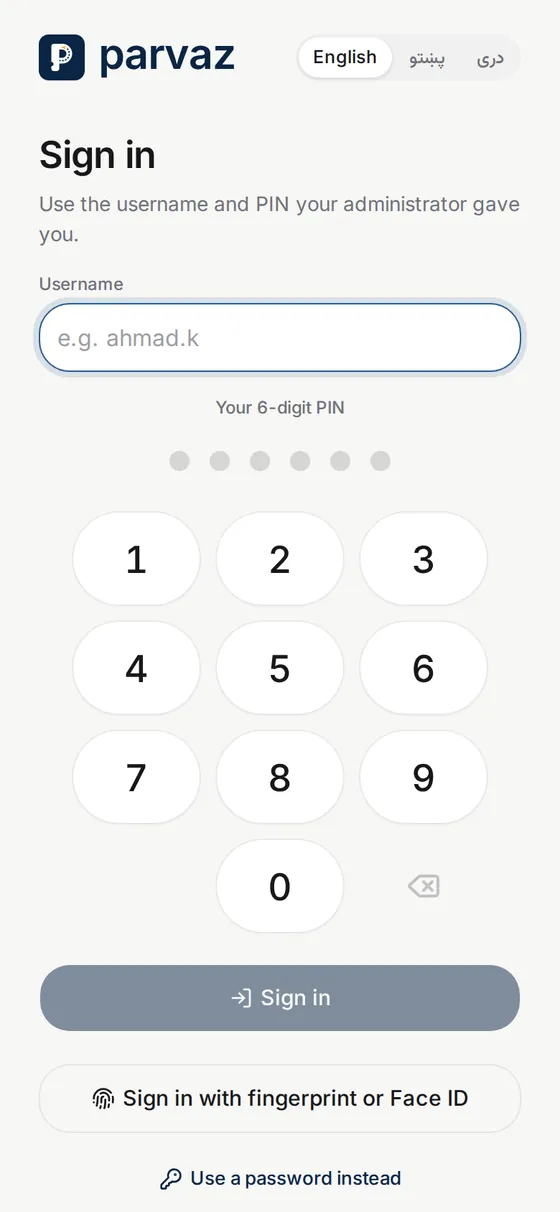
1. Sign in your way
Use a PIN, a password, or a fingerprint or face passkey on a device you trust.
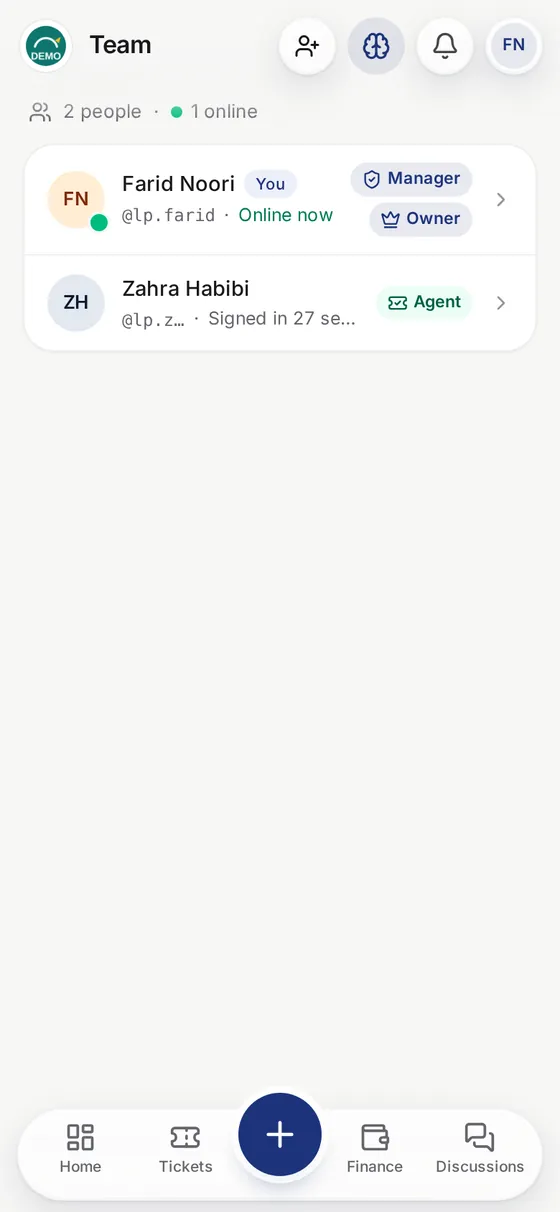
2. Give each person a role
Choose manager, agent or viewer for every member of your team.
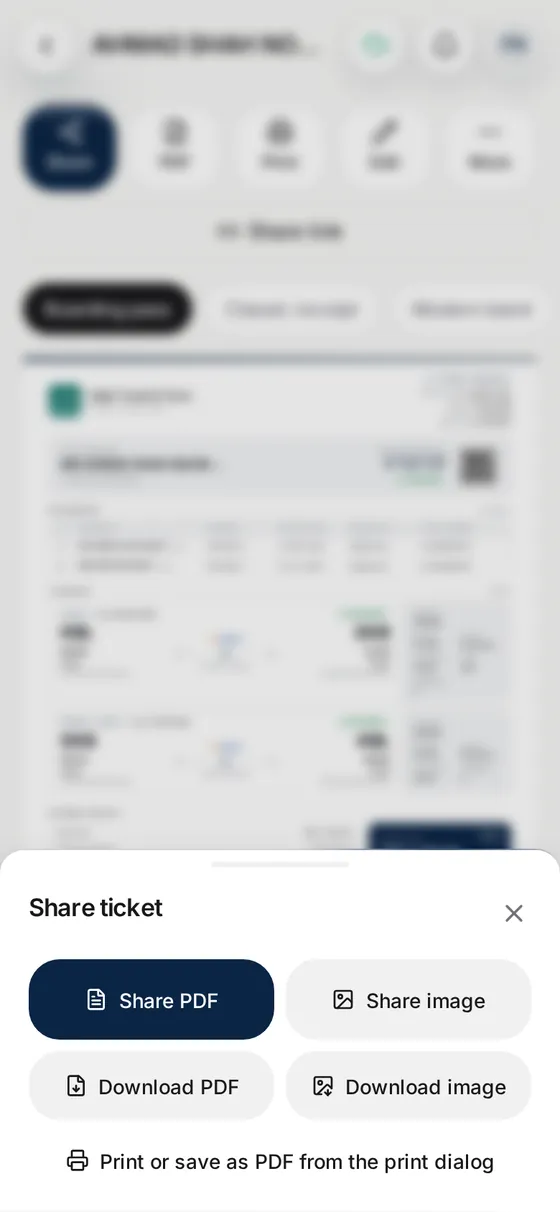
3. Share only what you mean to
Send customers a locked ticket link and decide whether prices and your branding show.
Questions
How do staff sign in?
With a username and a 6 digit PIN or a password, or with a passkey (fingerprint or face) once it is set up. A recovery email can reset a forgotten PIN.
What happens after wrong PIN tries?
Five wrong tries from one address stop sign-in for 15 minutes. After 30 wrong tries in one day the account is locked for a day.
What can a viewer do?
A viewer can look at records but cannot create or change them, and cannot use the AI buttons. Managers also manage the team and settings.
Does Parvaz keep the photos and PDFs I send to AI?
No. The file is sent to the AI company your agency chose, read, and not kept by Parvaz. Each AI company handles data under its own terms, listed on the privacy page.
Can I get a copy of my data?
Yes. Staff can download their data from the app.
How do I delete my account?
From the app, or with the form on the account deletion page if you cannot sign in.
Does Parvaz show which security audits it has passed?
No. We list only what the product does, as above. We do not claim certifications. Questions go to support.