E-ticket and receipt generator for travel agencies
Paste the booking text, or add a PDF or a photo, and Parvaz fills the passengers, flights and fare. You check it, save it, and send a clean e-ticket or receipt with only your agency name on it.
See every ticket design
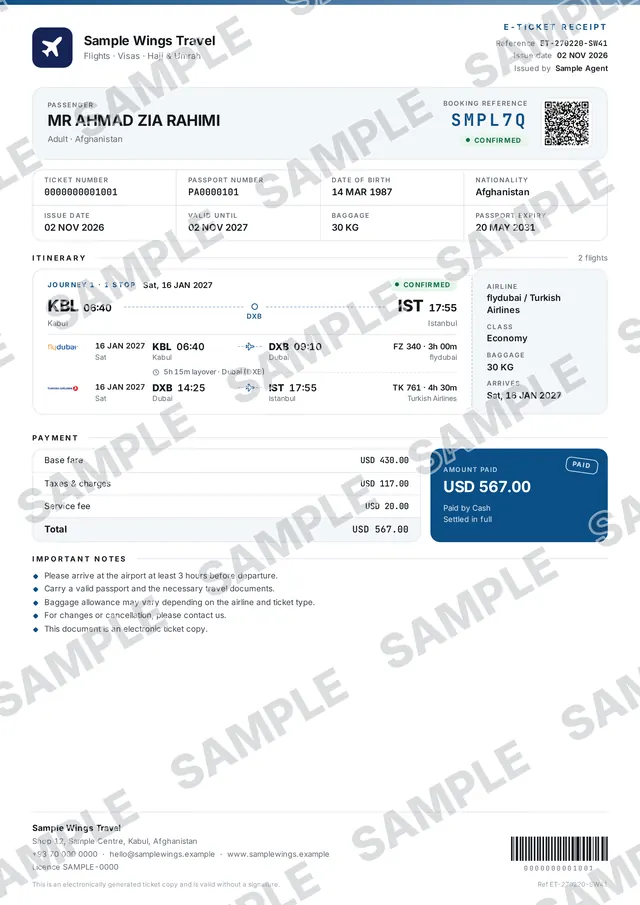
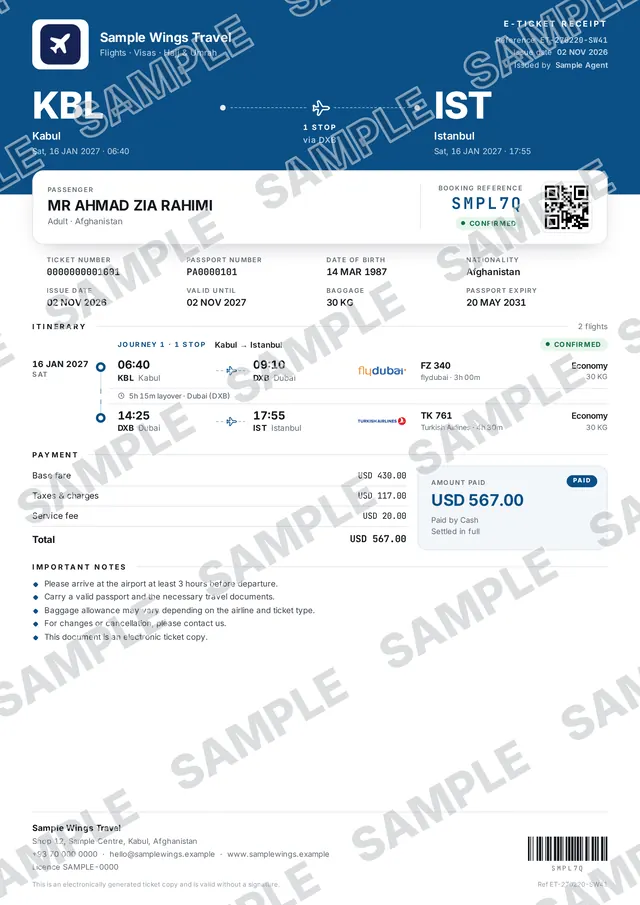
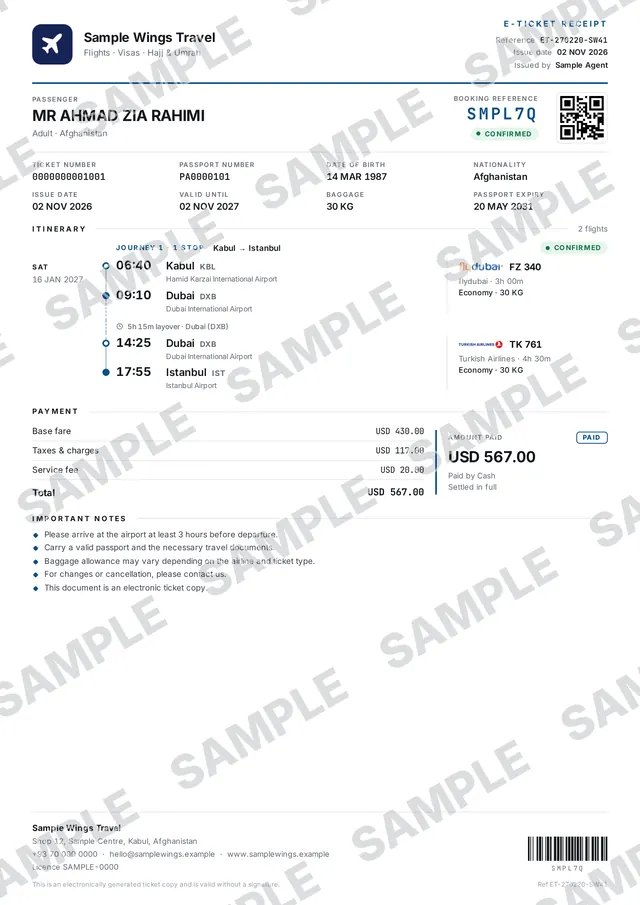
Seven designs for every kind of trip. Try them: change the colour, the trip and the passengers.
What you get
Any airline, any route
IATA-style itinerary receipts with PNR, flight numbers, times, baggage and fare lines. Your airlines and routes are searchable, not typed twice. New to the term? Read what an electronic ticket receipt is.
Your name, not ours
Tickets and receipts carry your agency name and logo only. Choose the layout you prefer. Selling to sub-agents? See white-label e-tickets.
PDF, image or Word
Download the ticket as a PDF, as a JPG or PNG picture, or as an editable Word file. Print it, share it on WhatsApp or e-mail, or send a link the customer opens in a browser with no account. The link and the QR code on the ticket open a locked copy of the PDF: nothing the customer can change.
A WhatsApp confirmation in one tap
Every ticket has a Message button. Parvaz writes a clean ticket confirmation for WhatsApp in your customer's language, ready to copy, send or save as a picture.
Then the invoice and the receipt
From the same ticket, tap Invoice for the customer's bill with the passengers and flights on it, and give a receipt for every payment. Need an offer first? Send a quotation. See the invoice maker.
Several passengers, several currencies
A family or a group on one ticket, and the fare in the currency you sold it in. Nothing is converted behind your back.
AI that you stay in charge of
AI does the typing. You always look over the details before you tap Save.
Works offline
Make the ticket with no internet. Parvaz saves on your device and syncs when you are back online.
See Parvaz in two minutes
One short film of the whole system, in twelve chapters. Start at the part you need.
Watch at 0:20Try it in the demo
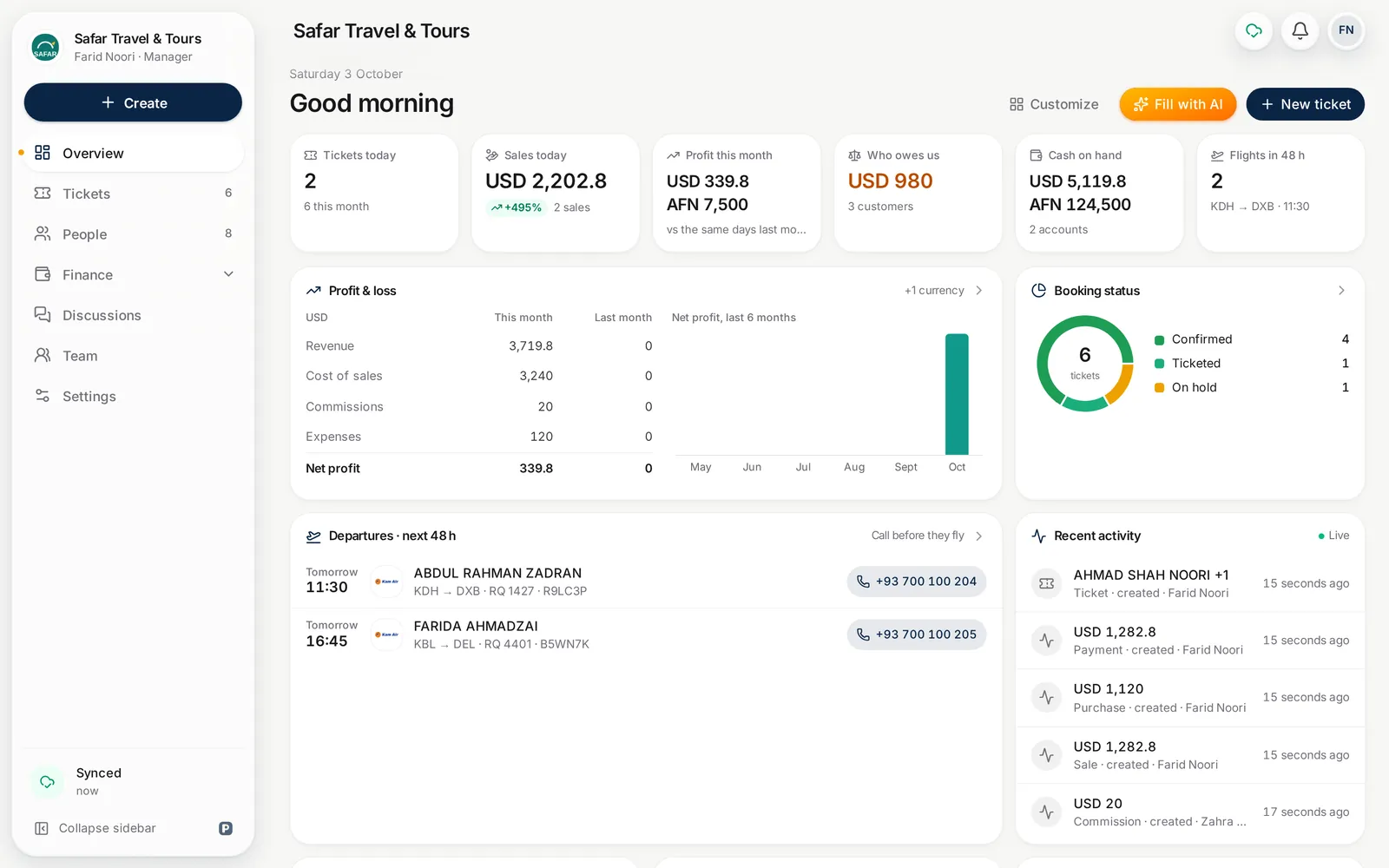
Narrated in English, with captions in your language.
How it works
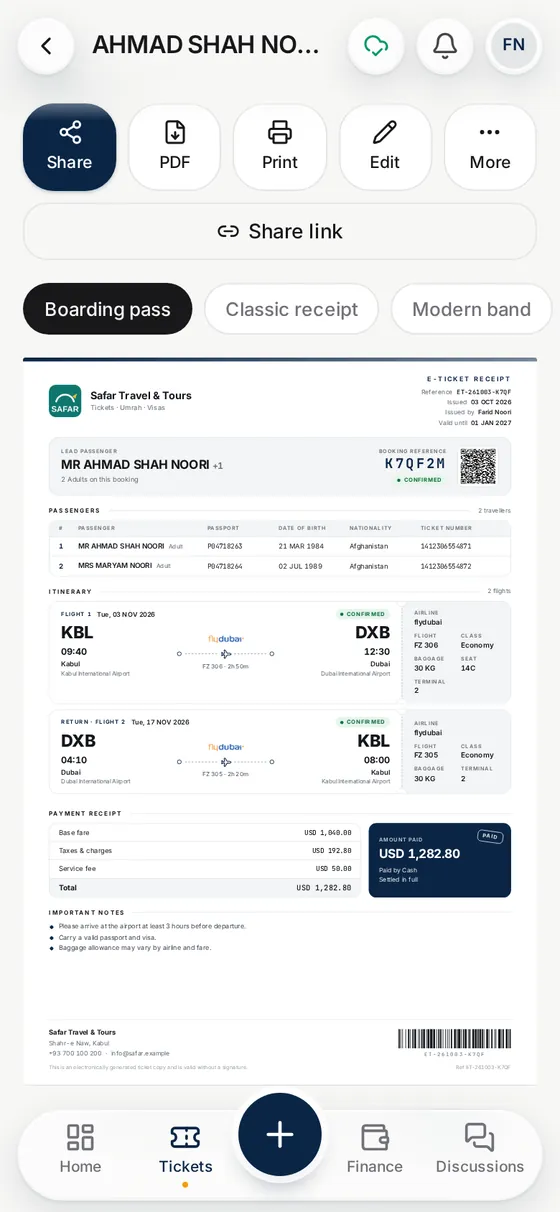
Real screens from the app, step by step.
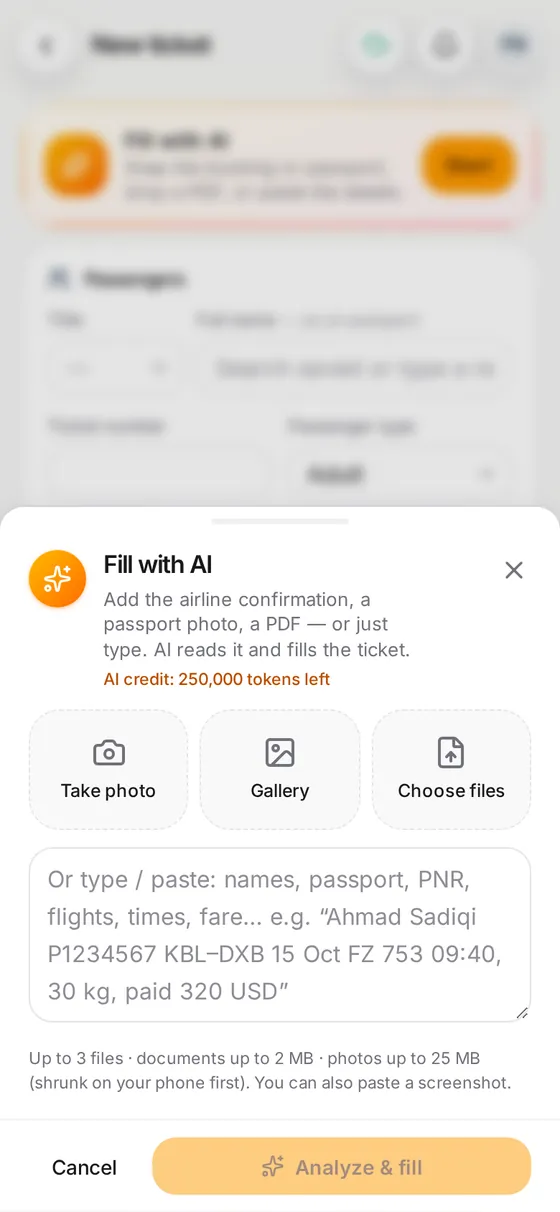
1. Add the booking
Paste the booking text or add a PDF or photo.
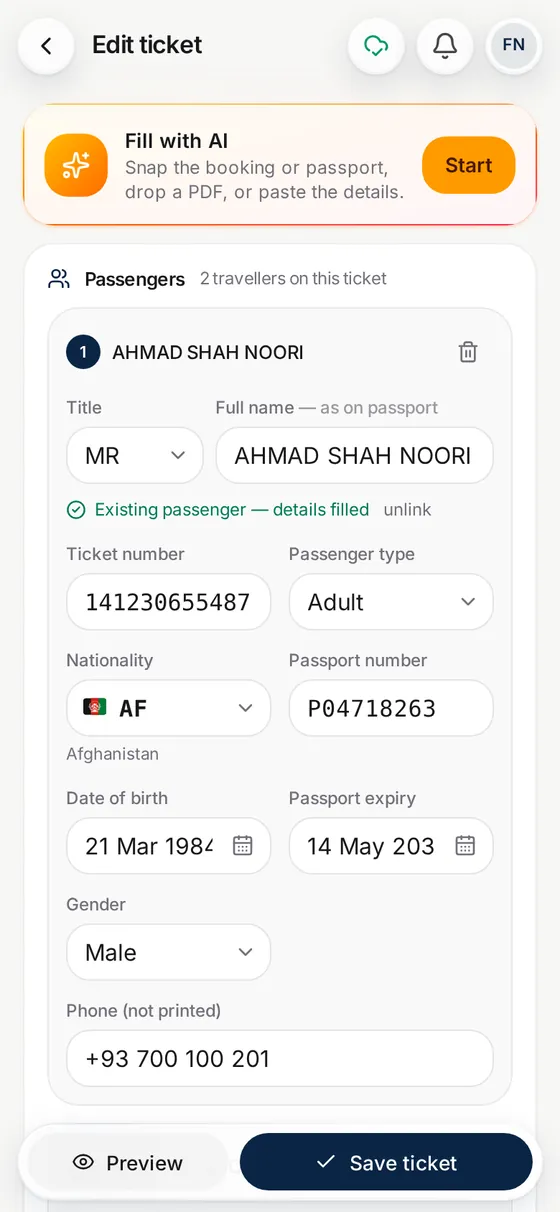
2. Check what AI filled
Passengers, flights and fare are filled in. Fix anything and save.
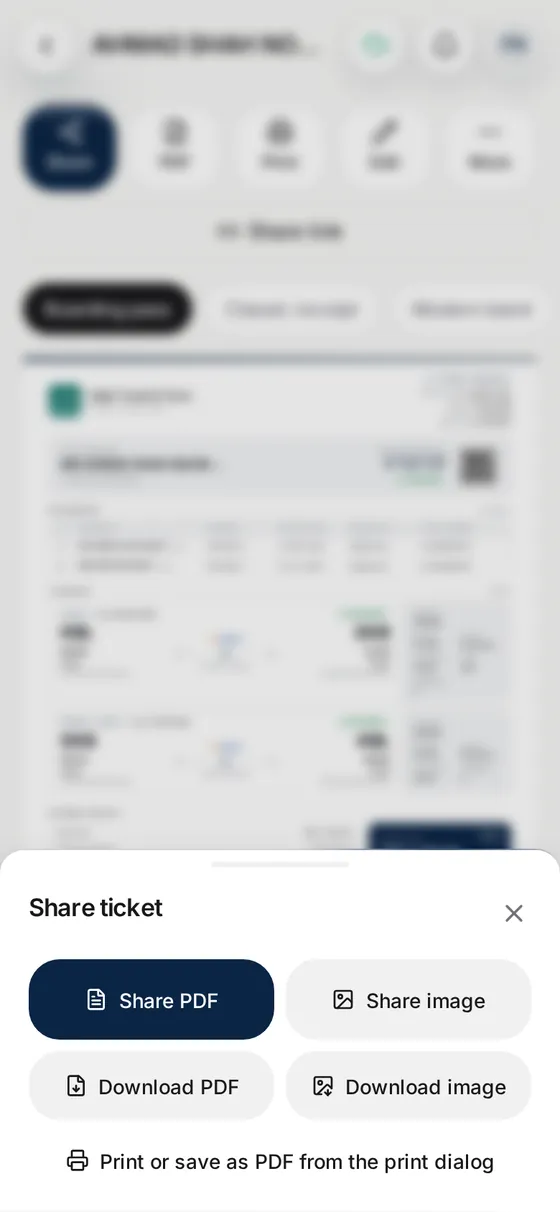
3. Send it
Print, download as PDF, image or Word, share a link, or tap Message for a WhatsApp confirmation.
Questions
What is an e-ticket receipt?
It is the itinerary and receipt an agency gives a traveller after booking: passenger names, ticket number, flights, times, baggage and the fare. Parvaz makes it from the booking and prints it with your agency name.
Can I make a ticket for any airline?
Yes. Airlines and airports are searchable lists, and you can type any flight. Parvaz does not issue tickets itself; it documents the bookings you make with the airline or your supplier.
Does it fill the ticket from a PDF or a photo?
Yes. Add the booking PDF or a photo and the AI fills the form for you to check. It uses AI credit: every plan includes some, and you can add more any time.
Does it work without internet?
Yes. Everything is saved on your phone first and sent when the internet is back.
Can I download the e-ticket as Word or an image?
Yes. Every ticket downloads as a PDF, as a JPG or PNG picture, or as a Word file you can edit. The share link always opens the locked PDF.
Can I send the customer a ticket confirmation on WhatsApp?
Yes. Tap Message on the ticket and Parvaz writes a short, clean confirmation with the flights and passengers, in one of 13 languages. Copy it, send it to WhatsApp, or save it as a picture.
Can the customer change the ticket from the link?
No. The link and the QR code on the ticket open a locked copy of your PDF, with your design, your branding and the prices you chose to show. The customer can view, download or print it, nothing else.
How much does it cost?
There are two plans: Starter for up to 3 people, and Agency for any number of people, with more AI. Both have every feature. Try everything free for 14 days, no card needed. Your price is shown on the pricing page.