Turn a PNR into a clean itinerary
Paste the booking lines from your GDS screen or the airline e-mail, and Parvaz reads the passengers, flights, times and PNR and fills an itinerary with your agency name on it. A line like "1 RQ4401 Y 30OCT 5 KBLDEL HK1 0930 1240" becomes a readable flight: Kabul to Delhi on 30 Oct, 09:30 to 12:40. Check it against the airline record before you send it.
What you get
Paste, do not retype
Copy the PNR lines from your booking screen, a chat message or the airline e-mail and paste them in. Parvaz reads the text with AI and fills the e-ticket form: passengers, flights, times and booking references.
GDS lines and e-mails
It reads the kind of booking text agents paste every day, such as GDS lines from Amadeus, Sabre or Galileo, airline itineraries and booking e-mails. It is a reader, not a link to the GDS: it only sees what you paste, a PDF or a photo.
Every reference listed
The airline PNR, the GDS record and your own reference are kept apart and labelled, so you know which one the customer needs at check-in.
Your name on top
The itinerary carries your agency name and logo only. Pick one of the ticket designs, then print it, download a PDF, an image or a Word file, or send a locked share link.
A WhatsApp message too
Tap Message on the ticket and Parvaz writes the booking details or a trip plan for the traveller, in one of 13 languages. Copy it or send it to WhatsApp.
You stay in charge
AI does the typing. Anything it could not find is flagged as missing, and you look over every field before you tap Save.
PDFs and photos work too
No text to copy? Add the PDF or a screenshot photo of the screen and the same reader fills the form.
Sample data: what a pasted booking line becomes
| You paste | 1 RQ4401 Y 30OCT 5 KBLDEL HK1 0930 1240 |
|---|---|
| Flight | RQ 4401, Kabul (KBL) to Delhi (DEL) |
| Date and time | 30 Oct, departs 09:30, arrives 12:40 |
| Class and status | Y is economy, HK1 is confirmed for one seat |
| You send | An itinerary with your name, or a short WhatsApp message with the same flight |
How it works
Real screens from the app, step by step.
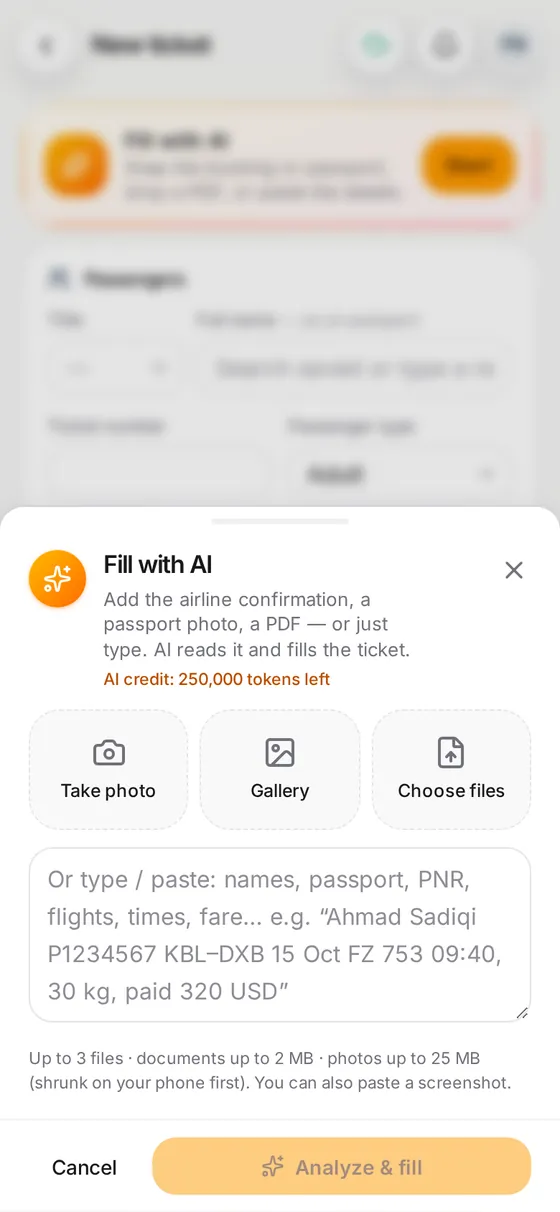
1. Paste the booking
Paste the PNR lines or the e-mail, or add a PDF or a photo of the screen.
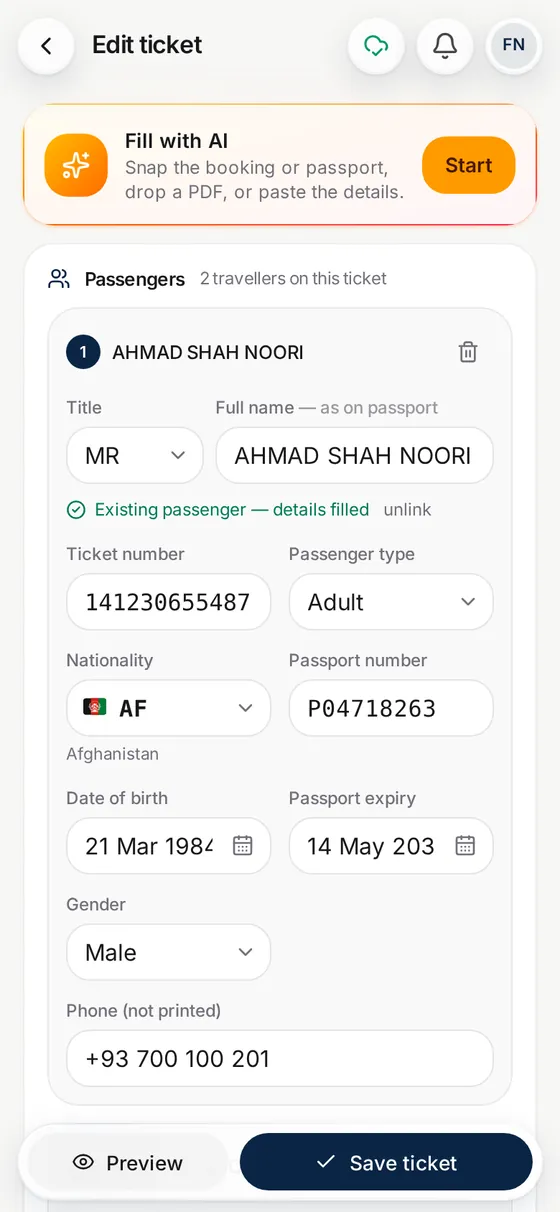
2. Check the itinerary
Flights, times, passengers and references are filled in. Compare them with the airline record, fix anything, then save.
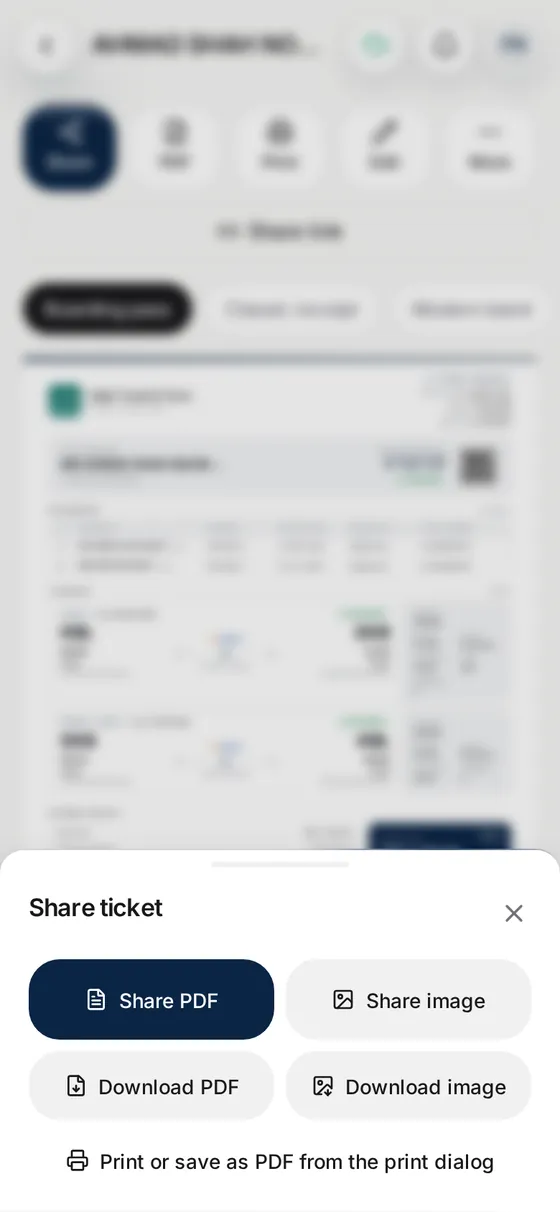
3. Send it
Print or download it, share the link, or tap Message for a WhatsApp text with the flights.
Questions
What is a PNR to itinerary converter?
It turns the short coded booking lines an agent sees on a GDS screen into a readable itinerary a traveller can understand: where they fly, when, and on which flight. Parvaz does this from the text you paste.
Does it work with Amadeus, Sabre and Galileo?
It reads pasted booking text with AI, including GDS lines like the ones those systems show, and airline e-mails. It does not connect to any GDS, so it only knows what you paste. Always check the result against the airline record.
Do I have to check the result?
Yes. AI can misread a line, so look over the flights, dates and names before you send anything. Parvaz lists what it could not find so you can fill the gap.
Can it show a booking with several flights and passengers?
Yes. Several flights and several passengers go on one itinerary, each passenger with their own ticket number.
Can I send the itinerary on WhatsApp?
Yes. Share the link, or tap Message and Parvaz writes the booking details as a WhatsApp text for you to copy or send. See WhatsApp messages for travel agents.
Is it a ticketing system?
No. Parvaz does not issue tickets. It documents bookings you made with the airline or your supplier. See the e-ticket receipt generator.
What does it cost?
Reading a booking uses AI credit. Every new account starts with 100,000 free, and a yearly plan adds 1,000,000 with each payment.