WhatsApp messages for travel agents
Customers live on WhatsApp, and a tidy message beats a pasted wall of booking codes. Paste or attach a booking, pick a format, and Parvaz writes the message: ticket confirmation, trip plan, price offer, payment reminder and more, in 13 languages. You read it, then copy or send it.
What you get
A format for each job
Booking details, trip plan, ticket confirmation, price offer, payment reminder, payment received, flight change, cancellation or refund, check-in reminder and passenger list.
Reply, offer, translate, clean
Also a polite reply to a customer message, a short offer for your status, a translation of any message, and a tidy-up of messy pasted text.
13 languages
English, Dari, Pashto, Persian, Arabic, Urdu, Turkish, Russian, Hindi, Uzbek, Tajik, German and French. Codes, names, times and numbers stay exactly as they are.
See a sample first
The Messages page shows each format with a sample, so you know what you will get before you paste anything.
A Message button on every ticket
Open a ticket and tap Message: the flights and passengers are already there, so the confirmation takes one tap.
Copy, WhatsApp, share or picture
Copy the text, open it in WhatsApp, use your phone's share sheet, or save the message as a picture.
Facts only
Parvaz writes from what you give it and leaves a detail out rather than inventing it. Read the message before you send it.
How it works
Real screens from the app, step by step.
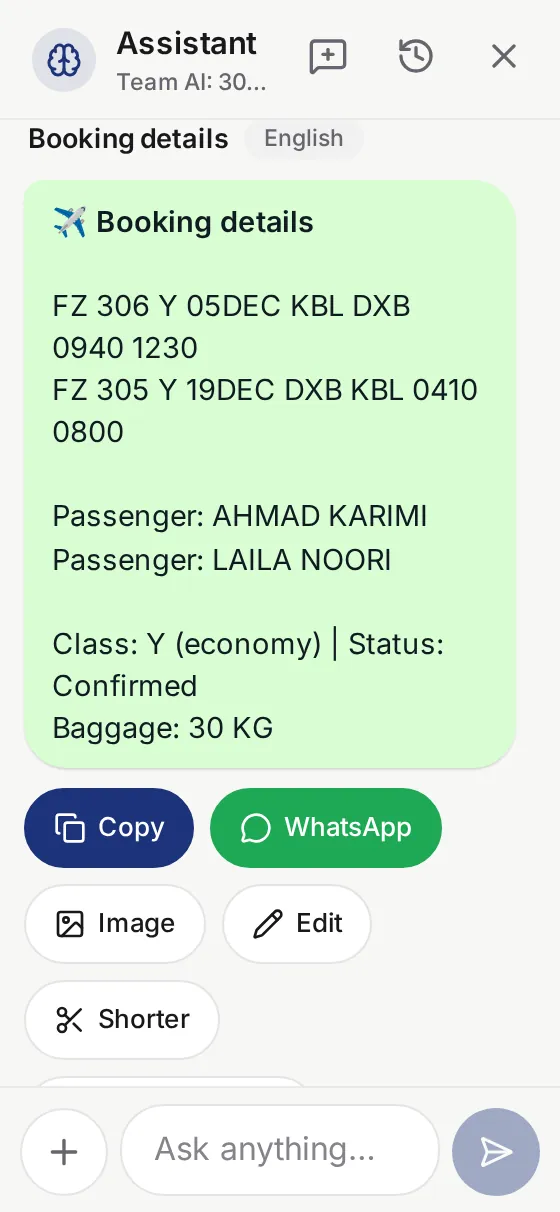
1. Pick a format
Open Messages and choose a format, or let Parvaz pick one from what you paste.
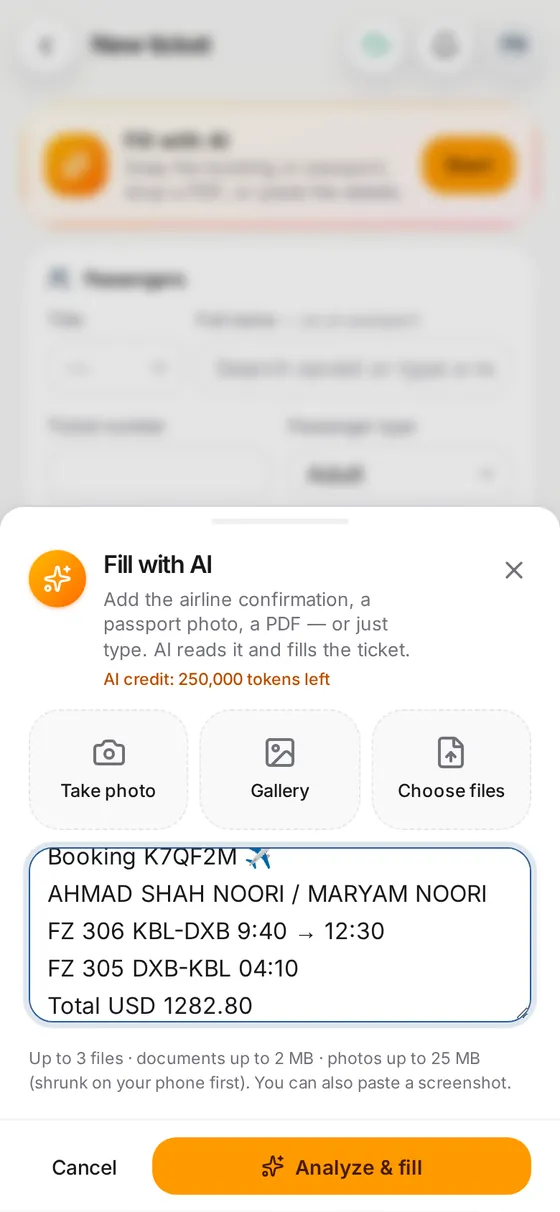
2. Paste or attach
Paste the booking text, or attach a ticket PDF or a photo. Choose the language.
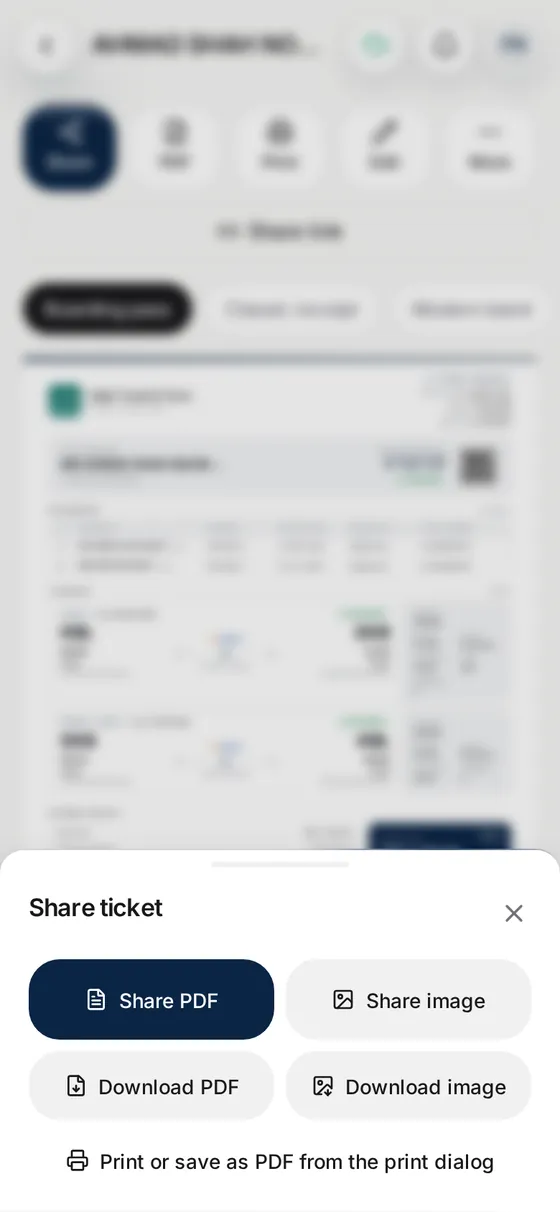
3. Copy and send
Read the message, then copy it, send it to WhatsApp, share it or save it as a picture.
Questions
What WhatsApp messages can Parvaz write for a travel agent?
Booking details, trip plan, ticket confirmation, price offer, payment reminder, payment received, flight change, cancellation or refund, check-in reminder, passenger list, a reply to a customer, an offer for your status, a translation, and a clean-up of any text.
Which languages does it write in?
Thirteen: English, Dari, Pashto, Persian, Arabic, Urdu, Turkish, Russian, Hindi, Uzbek, Tajik, German and French.
Can I make a message from a ticket I already saved?
Yes. Every ticket has a Message button that writes a confirmation from its flights and passengers.
Can I remind a customer about a payment?
Yes. Pick the payment reminder format and give the amount and what it is for. The tone is polite, never threatening. Read the accounting side for balances.
How do I send the message?
Copy it, open it in WhatsApp, use the share sheet, or save it as a picture and send that.
Does it send messages by itself?
No. Parvaz writes the message and you send it, so nothing goes to a customer without you reading it.
Can it start from a PNR or an airline e-mail?
Yes. Paste it, and see PNR to itinerary for how booking text is read.
What does it cost?
Each message uses a little AI credit. Every new account starts with 100,000 free, and a yearly plan adds 1,000,000 with each payment.