White label e-tickets for your travel agency
Your customer should see your agency, not a software brand. In Parvaz, tickets, receipts and share links carry your agency name and logo only. Choose a design, and when you sell to another agency, send the ticket as a link that they can add to their own account.
What you get
Only your name
Printed tickets, PDFs, pictures and the share page show your agency name and logo, nothing of ours.
Choose a design
Pick the layout you like from the ticket designs and set what prints, such as the prices.
A locked share link
The link and the QR code open a locked copy of the PDF with your design and branding. The customer can view, download or print it, and cannot change it.
PDF, picture or Word
Download the ticket as a PDF, a JPG or PNG picture, or an editable Word file, all in your branding.
Send a ticket to another agency
Make a link for a ticket and send it on WhatsApp or anywhere. The other agency opens it, signs in or creates an account, and adds a copy with one tap.
Their branding, not yours
The copy is fully theirs: their own reference number, design and branding. It shows "Received from" your agency name so the source is clear.
Your cost stays private
Your supplier, cost, commission and payments never cross. Your selling price goes only if you switch on "Send our price too".
How it works
Real screens from the app, step by step.
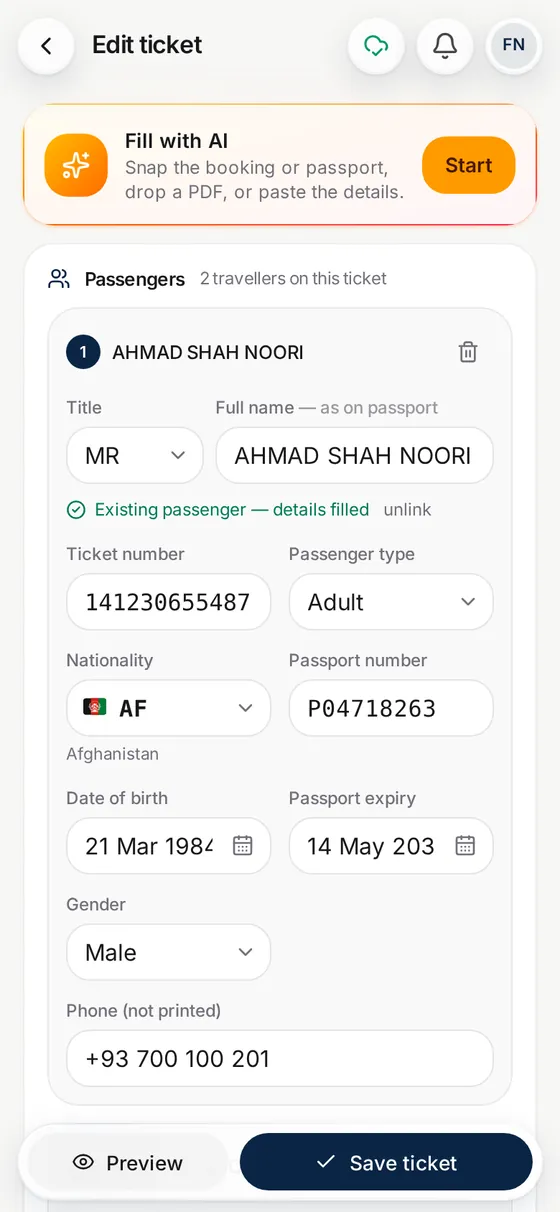
1. Set your branding
Add your agency name and logo, and choose a ticket design.
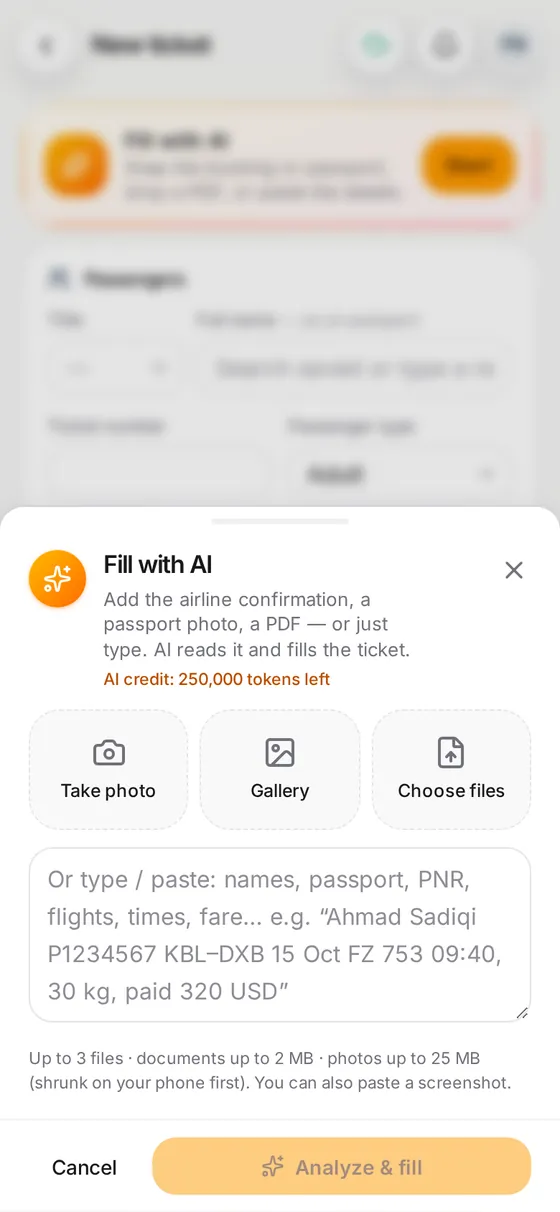
2. Make the ticket
Add the booking and check what AI filled, then save.
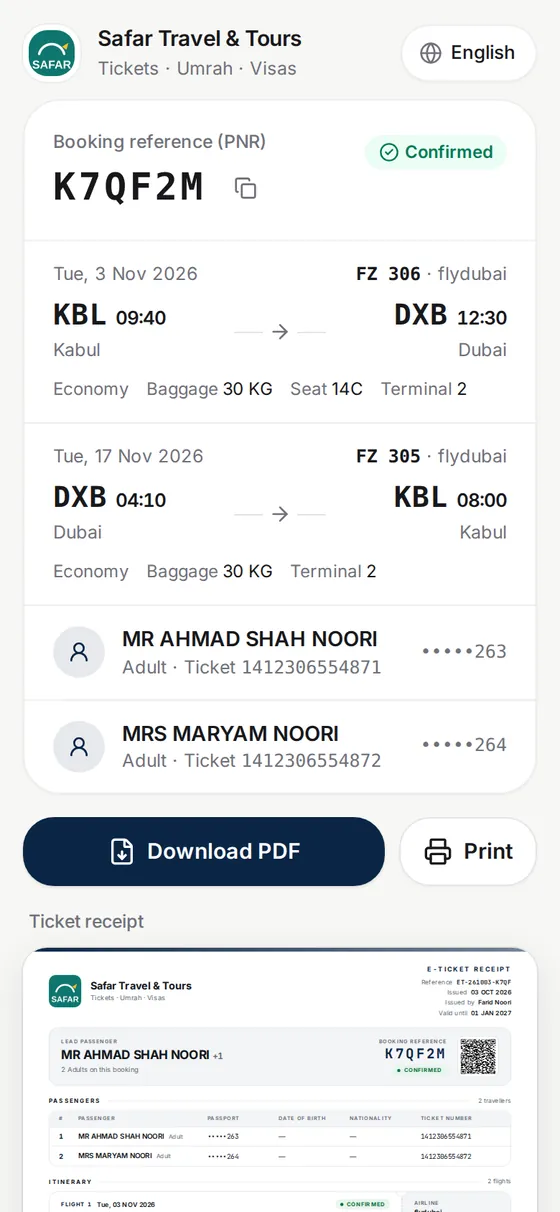
3. Share it
Send the locked link, a PDF or a picture. For another agency, make an agency link instead.
Questions
What does white label mean for e-tickets?
The ticket shows your agency as the maker. Your name and logo are on it, and no other software brand.
Can I use my own logo?
Yes. Your agency name and logo appear on tickets, receipts and share links.
Can the customer edit the ticket from the link?
No. The link and QR code open a locked copy. They can view, download or print it, nothing else.
Can I send a ticket to a sub-agent or another agency?
Yes. Make an agency link for the ticket and send it. They add it to their own Parvaz with one tap, even if they have to create an account first, and the copy takes their own branding.
What does the other agency see?
Anyone with the link sees a short summary. The agency that adds the ticket gets the passengers, flights and references. Your cost, supplier, commission, payments and customers' phone numbers never cross.
Do later changes reach the other agency?
No. It is a copy, not a shared record, so changes on either side do not travel.
Can I hide prices?
Yes. Prices print only when you switch them on for that ticket.