Passport scanner for travel agents
Stop typing the same passport details for every ticket and visa form. Take a photo of the passport page with your phone, and Parvaz fills the passenger with name, passport number, nationality, birth date and expiry. Next time, you only pick the name.
What you get
One photo, one passenger
Photograph the passport page, or choose a photo the customer sent you. Surname, given names, passport number, nationality, birth date, sex and expiry are filled in.
Any country's passport
Passports carry two machine-readable lines at the bottom, and the reader uses them first for the number, names, nationality, birth date and expiry. That format is the same worldwide, so it is not tied to one country.
A whole group
Photograph a family or a group one passport after another. Each becomes a person in your People list.
ID cards and visas too
Give it an ID card, a visa or a form and it lists the details one by one, ready to copy, so a visa application is not typed twice.
Suggested next time
When you type a passenger name on a ticket, Parvaz suggests the person you already saved. Nothing is written twice.
You approve it
AI writes, you look. Check the details against the passport and fix a letter if needed before you save.
Private to your agency
Passenger details live in your agency account, and only your staff can see them.
How it works
Real screens from the app, step by step.
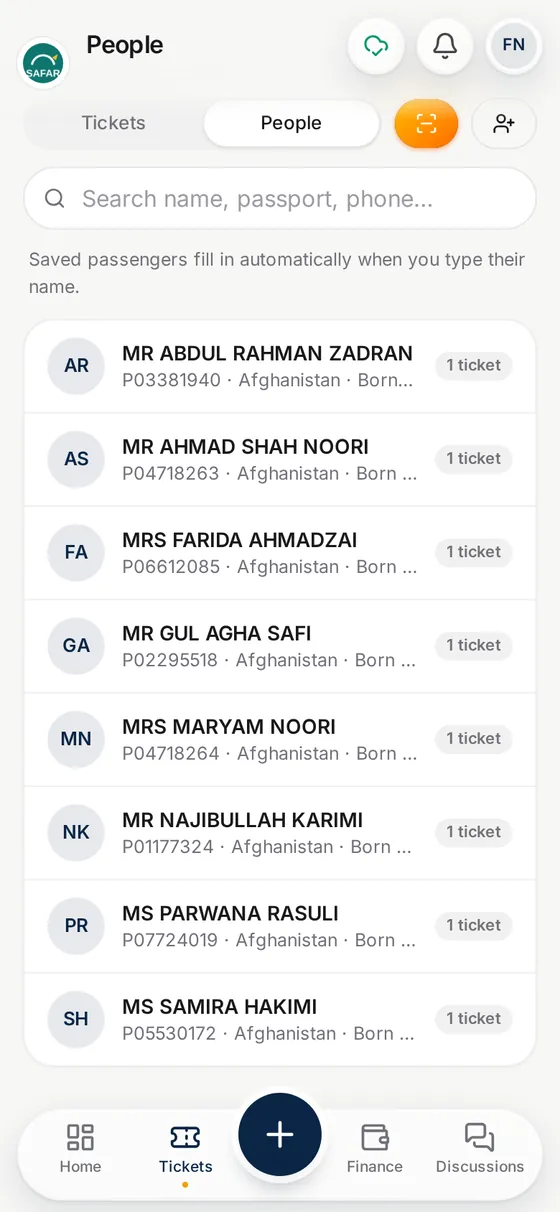
1. Take the photo
Photograph the passport page, or pick a photo from your gallery or WhatsApp.
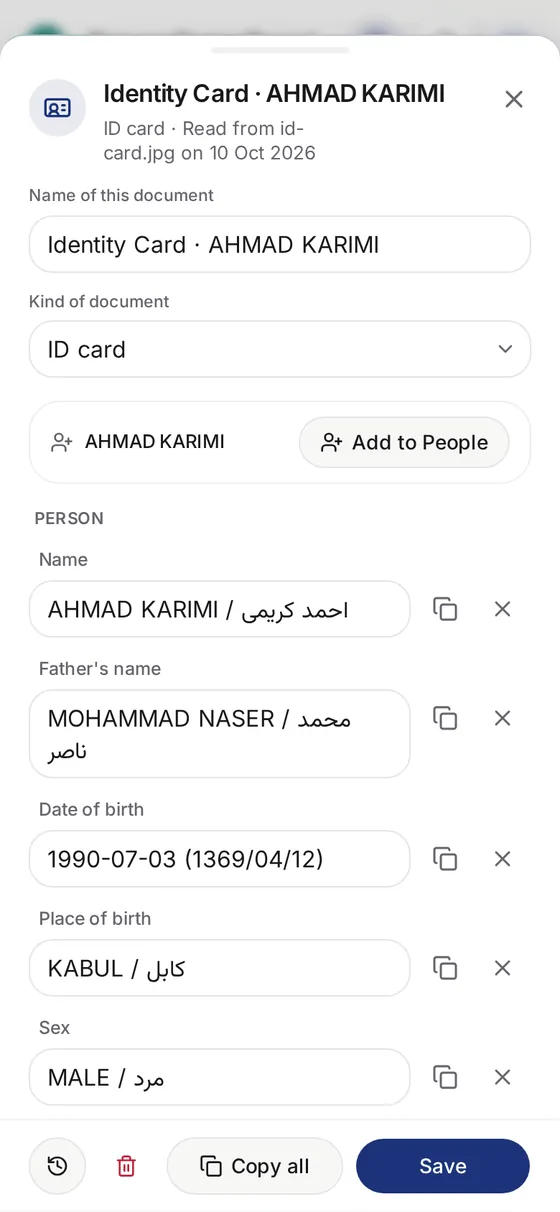
2. Check the details
See the details AI read, and copy or save them. IDs and visas are listed the same way.
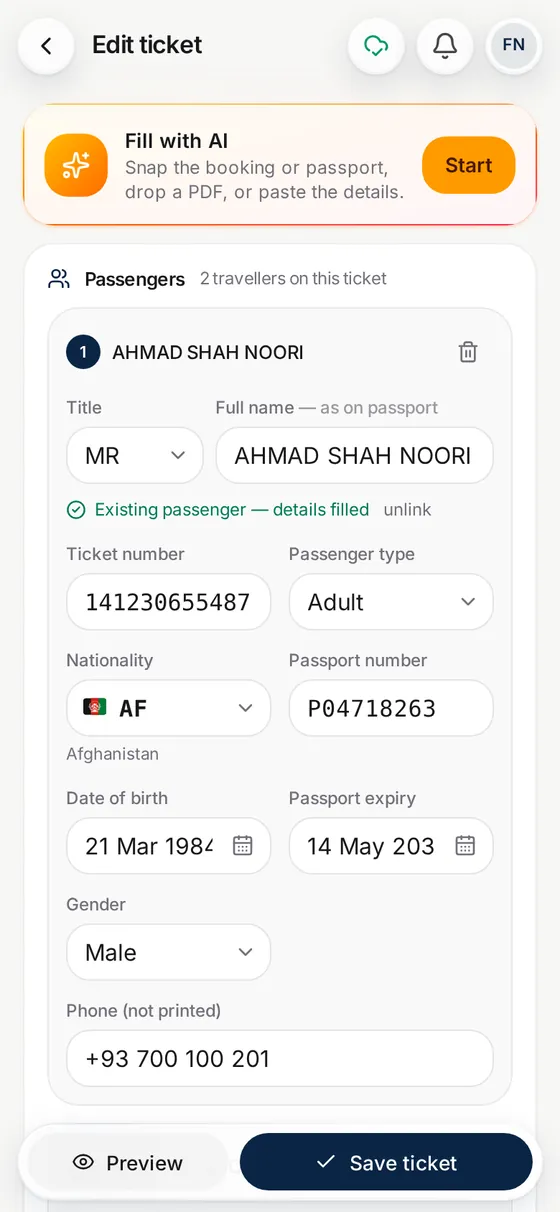
3. Make the ticket
Pick the saved passenger by name when you make the e-ticket.
Questions
Can I scan a passport with my phone?
Yes. Use the phone camera on the passport page, or choose a photo you already have, such as one a customer sent on WhatsApp.
What does it read from a passport?
Names, passport number, nationality, date of birth, sex and expiry date, plus the issue date and place when they are printed. It uses the machine-readable lines when they are visible.
Does it work for passports of every country?
It is built to read the standard machine-readable lines found on passports worldwide, and the printed page too. Always check the result against the document, especially if the photo is blurry.
Is the passport photo kept?
No. The photo is sent to the AI service only to be read and is not kept by Parvaz. Before the first AI request on a device, Parvaz asks for your consent. The details you save stay in your agency account.
Can it read ID cards and visas?
Yes. ID cards, visas, residence permits and forms are read too, and each detail is listed so you can copy it.
Is it a public upload tool?
No. You scan inside your own agency account, so passport photos are never put on a public web page.
What does it cost?
Each scan uses AI credit. Every new account starts with 100,000 free, and a yearly plan adds 1,000,000 with each payment. The demo is free.